Drawings may be duplicated and circulated beyond the intended recipients.
DXF FILE PROTECTION
Lock AutoCAD DXF Files & Protect Your Designs
Protect your valuable CAD designs before they are copied, leaked, or manipulated. GhofleCad is a professional security solution for AutoCAD DXF files, designed to help reduce unauthorized copying, editing, and distribution.
By combining multiple protection layers, flexible locking modes, watermark options, and ownership-verification tools, GhofleCad helps architects, engineers, and companies maintain greater control over their CAD files—even after sharing.
- Designed for DXF drawing protection
- Three intelligent locking modes
- Customizable watermark options
- Offline workflow, per supplied product details
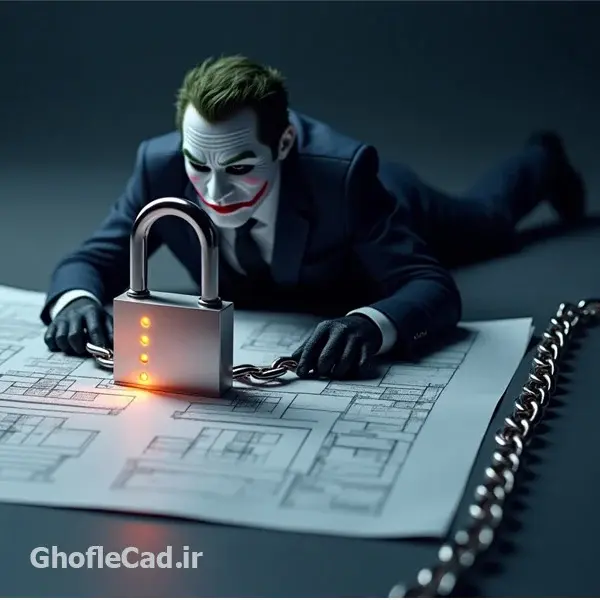
Protect your valuable CAD designs before they are copied, leaked, or manipulated.
THE PROBLEM
The Real Risk of Sharing AutoCAD Files
Architects, engineers, and companies regularly share DXF and CAD files with clients, contractors, consultants, and external teams. Without appropriate safeguards, sensitive design files can be copied or reused without permission.
CAD files may be changed or reused in ways the original designer did not authorize.
When files are shared widely, it can become harder to demonstrate the source of a design.
Uncontrolled redistribution can expose valuable intellectual property and project details.
Keep control of your CAD files
GhofleCad is designed to make DXF file protection more manageable with selectable locking modes and ownership-identification features. No digital protection method should be treated as an absolute guarantee against every possible attack.
CORE CAPABILITIES
Core Security Features of GhofleCad
A practical set of DXF file protection features designed around drawing integrity, ownership identification, and day-to-day CAD workflows.
Multi-Layer Protection
Uses multiple protection layers intended for DXF file structures. Actual resistance depends on file content, settings, and the threat model.
Advanced Security Layers
Protection methods designed to make unauthorized analysis and reuse more difficult, without claiming that cracking is impossible.
Customizable Watermark
Configure watermark text, color, size, and rotation angle to help identify ownership when drawings are shared.
Digital Signature Verification
Verification features are designed to help check authenticity and whether a protected drawing has been modified.
Preserves Drawing Quality
The intended workflow is to protect files while preserving usable drawing geometry and avoiding unnecessary quality loss.
Optimized Processing
Designed to process CAD files efficiently, including complex drawings. Processing time can vary with file size and structure.
AutoCAD Compatibility
Supplied product information lists AutoCAD versions 2000–2026. Please verify compatibility for your particular workflow before purchase.
Offline Workflow
Product information describes offline use for file protection, useful for teams with restricted connectivity or local workflows.
AT A GLANCE
GhofleCad vs. Other CAD Protection Tools
Compare the features described for GhofleCad with common limitations found in basic or single-purpose tools. Competitor capabilities vary, so this is a general comparison rather than a claim about every product.
| Feature | GhofleCad | Basic tools (may vary) |
|---|---|---|
| Protection approach | Multiple protection layers | May be limited to basic locking |
| Locking modes | 3 selectable modes | May offer one or limited modes |
| Custom watermark | Text, color, size, rotation | May be unavailable or limited |
| Ownership verification | Signature verification features | Depends on tool |
| Offline workflow | Listed as supported | Some tools require cloud access |
| AutoCAD support | Listed versions 2000–2026 | Varies by vendor |
| Pricing | See current plans | Varies by vendor and license |
FLEXIBLE LOCKING SYSTEM
Choose the Right Protection Level
Unlike a one-setting lock tool, GhofleCad offers three described locking modes so you can choose a balance between structure preservation, everyday compatibility, and stronger restrictions. Test representative files before applying a mode to critical deliverables.
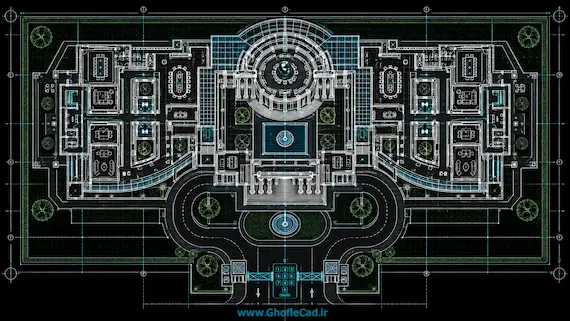
STRUCTURE-SAFE
Structure-Safe Protection
Best when preserving complex block structure is a priority.
Recommended for- Complex DXF files with many blocks
- Industrial drawings, factories, and plants
- Heavy 3D CAD files, solids, or meshes where supported
- Large urban-planning and GIS maps
- Projects where drawing structure is critical
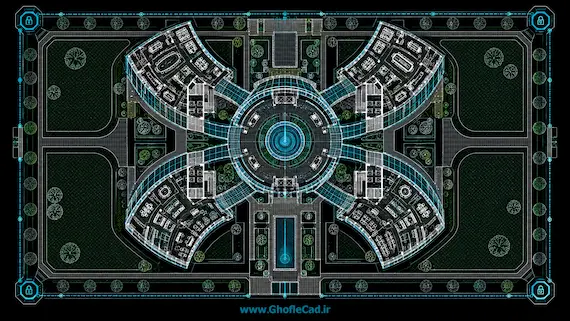
BALANCED SECURITY
Balanced Security Mode
A middle ground for many architectural and engineering workflows.
Recommended for- Medium-complexity architectural and structural drawings
- Files with dynamic blocks
- Electrical and mechanical CAD drawings
- BIM-related coordination files
- Files of moderate size
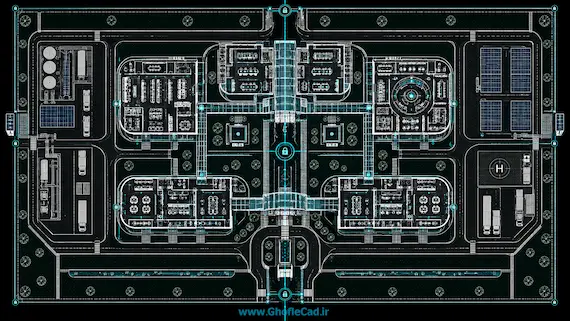
MAXIMUM SECURITY
Maximum Security Mode
For relatively simple drawings when stronger restrictions are the priority.
Recommended for- Concept plans and early layouts
- Educational and presentation drawings
- Final deliverables for clients or contractors
- Smaller files and standard blocks
- Situations where maximum available restrictions are preferred
PROFESSIONAL & ENTERPRISE
Built for Professional & Enterprise Use
GhofleCad is designed for individuals and organizations working with valuable design information, including:
Architects & Civil EngineersHelp protect original architectural and engineering designs.
Construction & InfrastructureManage sharing of execution drawings and tender documents.
Oil & Gas CompaniesProtect sensitive plant layouts, pipelines, and refinery drawings.
BIM & Engineering ConsultantsSupport controlled DXF sharing across multi-team workflows.
Industrial & MEP EngineersHelp safeguard proprietary technical designs.
CAD Freelancers & StudiosAdd ownership identification to client deliverables.
Universities & Research CentersHelp deter unauthorized reuse in academic projects.
WHY GHOFLECAD
Why Professionals Choose GhofleCad
| Feature | GhofleCad | Other software (varies) |
|---|---|---|
| Protection layers | Multiple layers | May be limited |
| Locking modes | 3 described modes | May be limited |
| Custom watermark | Adjustable options | May not be available |
| Signature verification | Available per product information | Depends on tool |
| Offline use | Listed as supported | Varies |
| Technical support | Contact support for current terms | Varies by vendor |
| Price | View current plans | Varies by vendor |
KEY ADVANTAGES
Unique Advantages of GhofleCad
Intellectual Property Awareness
Watermarking and ownership-identification features can help support discussions about authorship and responsible file handling.
Designed for CAD Workflows
Protection modes are described for different drawing structures and project needs, helping users select a suitable workflow.
Practical to Use
The product is intended to make DXF protection accessible without requiring every user to manage a complex security setup.
Review Before You Buy
Check the current license scope, price, supported workflow, and any refund terms on the pricing page before purchase.
TAKE THE NEXT STEP
Secure Your CAD Files with GhofleCad
Take a more deliberate approach to DXF file protection and AutoCAD file security. Review the available options and select a plan based on your files, workflow, and licensing needs.
- DXF-focused protection workflow
- Three described locking modes
- Watermark options
- Plan details and purchase instructions online
See current prices, license details, and purchase instructions on the pricing page.
HELP & ANSWERS
Frequently Asked Questions
Answers about DXF file protection, locking modes, and how to choose a plan.
Which GhofleCad locking mode should I use for my drawing?
Use Structure-Safe for complex files with many blocks, industrial plants or large maps where block structure must be preserved. Use Balanced Security for most everyday architectural, structural, electrical and mechanical drawings. Use Maximum Security for simpler drawings and final client deliverables when the strongest available restrictions matter most. Test a representative file before locking critical deliverables.
What can I customize in the GhofleCad watermark?
You can set the watermark text, color, size and rotation angle, for example your company name or project code, so ownership is clearly identified whenever a protected drawing is shared.
How can I verify that a protected drawing is authentic and unchanged?
GhofleCad includes digital signature verification features designed to help check the authenticity of a protected drawing and whether it has been modified after locking. Together with the visible watermark, this helps you demonstrate the source of a design.
Will locking change how my DXF drawing looks or prints?
The protection workflow is designed to preserve usable drawing geometry and avoid unnecessary quality loss, so the locked drawing remains viewable and printable. Results can vary with file content and the chosen mode, so check a sample file before sending important work.
Can I protect DXF files offline, and which AutoCAD versions are supported?
According to the supplied product information, the protection workflow can run offline on your own computer, and AutoCAD versions 2000–2026 are listed as supported. Please confirm compatibility for your specific files and workflow before purchasing.
How is GhofleCad different from basic CAD lock tools?
GhofleCad combines multiple protection layers, three selectable locking modes, a customizable watermark, signature verification features and an offline workflow in one tool. Many basic tools offer a single lock setting with limited or no watermark options, although capabilities vary by product.